





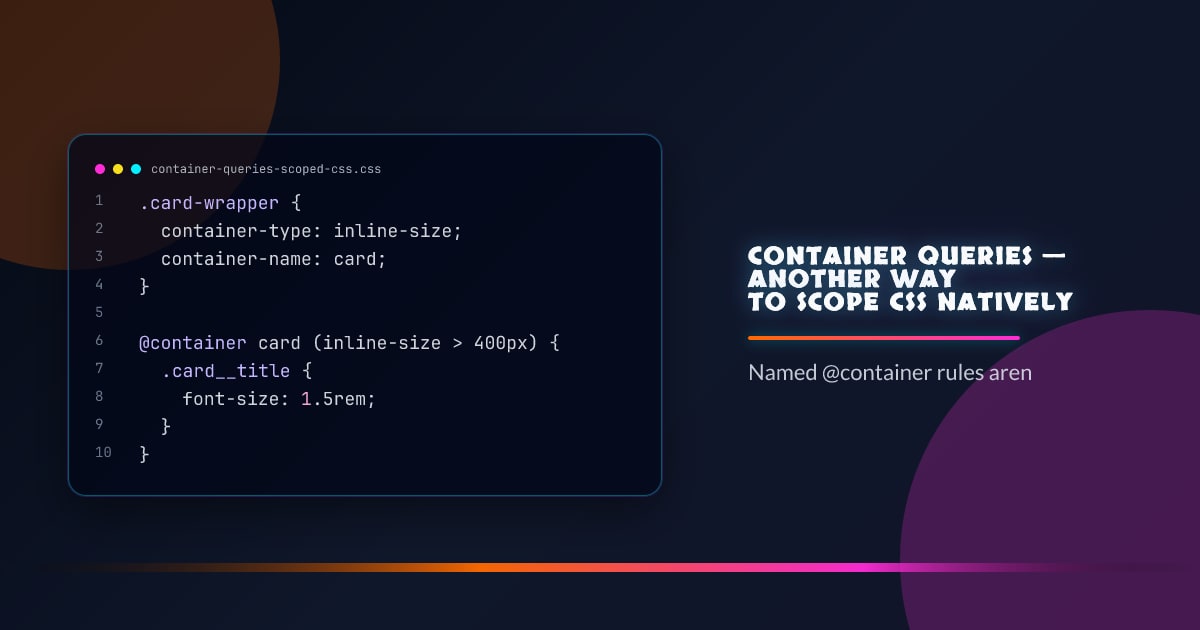
Container Queries — Another Way to Scope CSS Natively
@container does double duty: it’s a responsive layout tool and a scoping mechanism. A named container lets you write styles that only apply within a specific ancestor — no class collisions, no specificity fights, no Shadow DOM required.
.card-wrapper {
  container-type: inline-size;
  container-name: card;
}

@container card (inline-size > 400px) {
  .card__title {
    font-size: 1.5rem;
  }
}
Styles inside the @container rule never leak outside the matched container. That makes named containers a practical scoping boundary.
container-type Values
/* Responds to inline-size changes (width) */
.wrapper {
  container-type: inline-size;
}

/* Responds to both axes */
.wrapper {
  container-type: size;
}

/* Named but no dimensional queries — for style queries only */
.wrapper {
  container-type: normal;
}
Use inline-size for the vast majority of responsive components. size requires the element to have a definite block size or you’ll get infinite layout loops.
Named Containers for Scoping
Names let inner components query a specific ancestor, not just the nearest container:
.page-layout {
  container: layout / inline-size;
}

.sidebar {
  container: sidebar / inline-size;
}

/* This targets layout, skipping sidebar */
@container layout (inline-size > 900px) {
  .nav-item {
    display: flex;
  }
}
Components can walk up the tree and match any named ancestor — the query finds the closest container with that name.
Containment Without Layout Queries
A container with container-type: normal participates in style queries but doesn’t trigger dimensional containment:
.theme-zone {
  container-type: normal;
  container-name: theme;
}

@container theme style(--variant: compact) {
  .item {
    padding: 0.25rem;
  }
}
This is the scoping use case without any layout implications.
Nesting @container Rules
Container queries nest cleanly — inner containers query their own size, outer containers query theirs:
.outer {
  container: outer / inline-size;
}

.inner {
  container: inner / inline-size;
}

@container outer (inline-size > 800px) {
  @container inner (inline-size < 300px) {
    .label {
      display: none;
    }
  }
}
Versus @scope
@container scopes which element triggers the styles. @scope scopes where in the DOM styles apply. They solve different problems and compose well:
@scope (.card) {
  @container card (inline-size > 360px) {
    :scope h2 {
      font-size: 1.25rem;
    }
  }
}
Feature Detection
@supports (container-type: inline-size) {
  /* safe to use container queries */
}
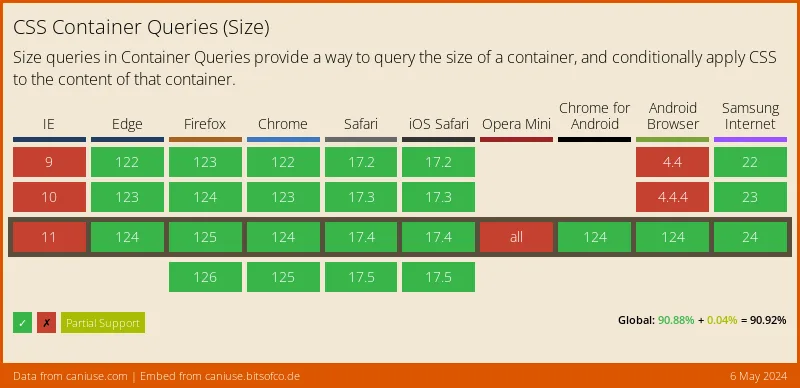
All evergreen browsers have shipped container queries. The @supports check is mainly useful for fallback-first builds targeting older Safari.
Browser support snapshot
Live support matrix for css-container-queries from
Can I Use.
Show static fallback image
Source: caniuse.com